The expert guide
From approved to paid, in eight short steps.
Key connects you, someone who genuinely knows a place, with travelers heading there, over 30-minute video calls. You talk, share a live map, and they leave with a personal list of places. Here’s everything, start to paid.
Setting up your profileLive calls and the digital deskPost call and getting paid
Part 1
Setting up your profile
Step 1
Apply, and get approved
Every expert on Key is hand-picked by a person, that’s the product. Apply at key.new/join with a few lines about who you are. Approved? A personal invite link lands in your inbox.
Step 2
Build your profile
Your invite opens the profile editor. Two things are required: a profile photo and a short portrait intro video, shot on a phone is perfect. Then add a few lines about you, your cities and specialities as tags, and your pricing. Once your hours are set too, the last step shows your card and page, and you go live when you press Go live. Add your payout details any time before your first call.
More pictures are always better. Add a landscape banner for the top of your page, then as many photos and short clips as you like to your gallery. They appear in their own Gallery section on your page, any shape, so travelers see the places you love through your eyes before they book.
Pricing is yours, per call length, for example 30 minutes for $50. Travelers pay in USD wherever they are. A free tier makes an easy first hello.
Step 3
Connect your calendar, set your hours
Set weekly hours, block time off, and connect Google Calendar or Outlook in two clicks. It works both ways: your existing events block Key bookings, and confirmed calls write themselves into your calendar. Travelers can only ever book times you’re genuinely free.
Your calendar stays yours. Key sees only when you’re busy, never what an event is called, who’s in it or where it is. The connection does two things and nothing else: it keeps taken times off your booking page, and it adds your Key calls. Disconnect it any time from your availability page.
Part 2
Live calls and the digital desk
Step 4
Get booked
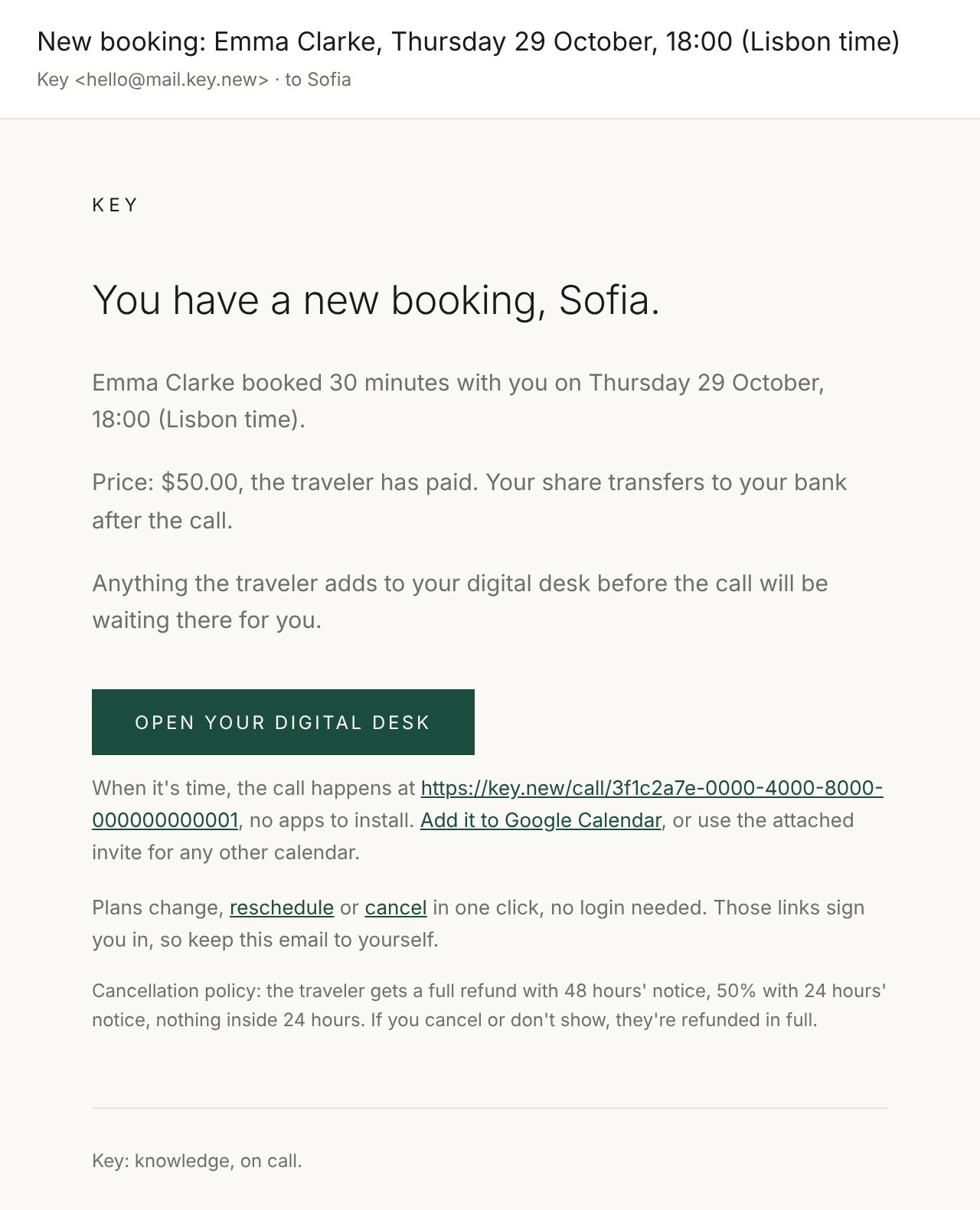
Travelers pay by card when they book, you never chase money. You get an email and a calendar event; you both get a shared “digital desk” where they tell you what they care about before the call, and can drop places they’re curious about for your take.
If they write on the desk, you get an email the moment it happens, a quick reply sets the tone. Either of you can suggest a new time from the dashboard; the other accepts in one tap. And if their notes aren’t your territory, decline gracefully: they’re refunded in full and pointed to a better match. A kind no beats a so-so call.
Step 5
The call
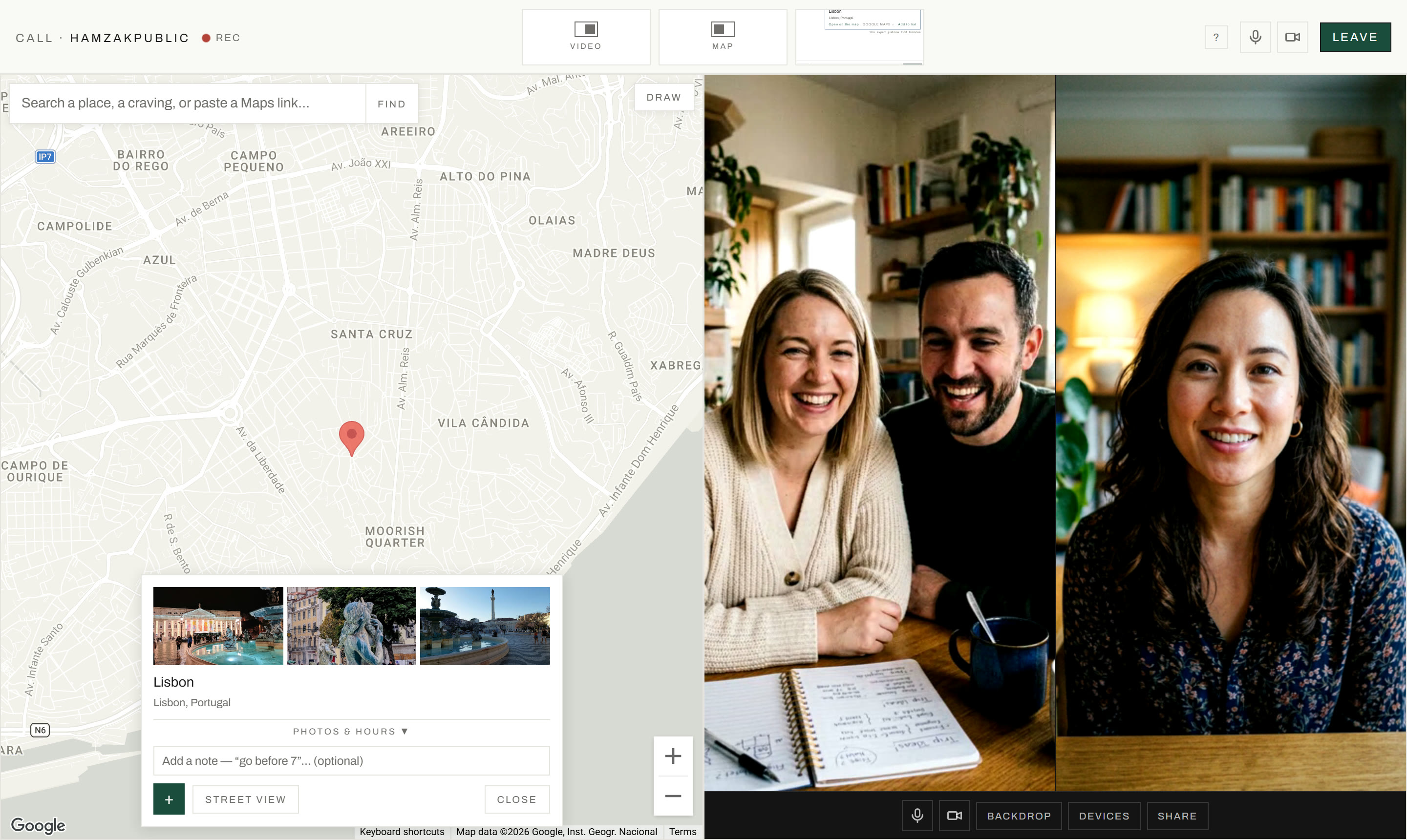
Calls happen in the browser, no apps. The Join link opens fifteen minutes before the start, on your dashboard and in the “starting soon” email. You join with camera and mic live (muting is one tap), and your first call opens with a short tour of the room.
The call is recorded and transcribed, so nobody takes notes. The clock in the top bar counts down, but the call only ends when you click Leave.
Try it yourselfThe call room, as a live demo you can click around inPart 3
Post call and getting paid
Step 6
After the call: the desk
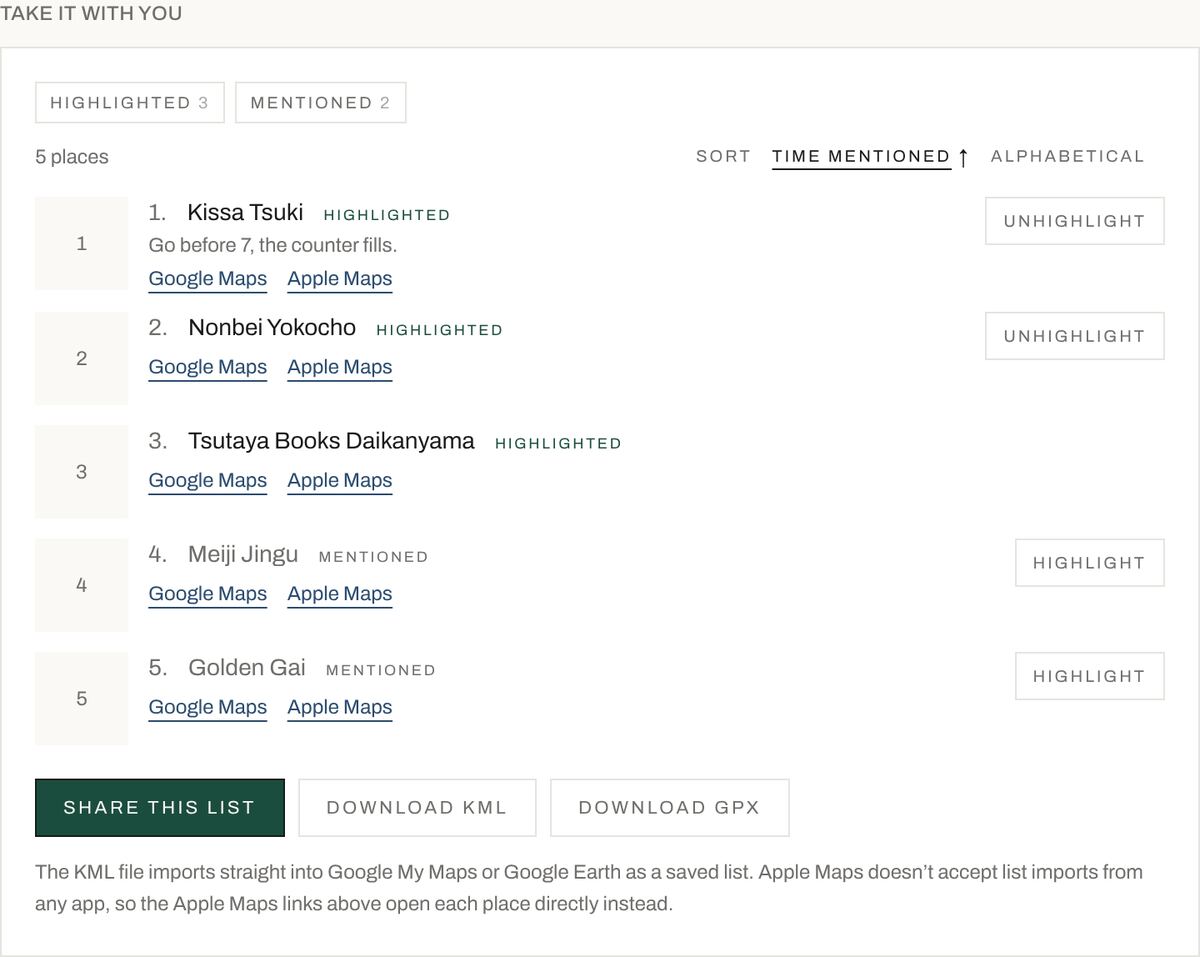
When you leave, you land on the desk, which now holds the whole call: the replay, the transcript (click any line, or any place, to jump to that moment), the map, the chat, and every place in one list. The traveler gets an email as soon as the recording is ready, with a link straight to it.
Places are Highlighted or Mentioned. Highlighted is what one of you kept; Mentioned is everything else that came up, a tap from being highlighted. You can unhighlight your own picks, never the traveler’s, and a place you both kept stays highlighted. What highlighting does, on the list, explains it in a line: your highlights are the places you’d really send them to, and what their shared list and their AI assistant plan around.
The places you add carry your name. A place you put on the map can appear on Key, on the home page and your profile, credited to you, highlighted or not. Anything the traveler adds stays private to the two of you, always. Their notes and the recording are never public, and their list is only shared if they share it.
Step 7
How you get paid
Stripe sends us the traveler’s payment minus its processing fee, and we split what we receive with you 80/20. After the call ends, your 80% transfers automatically to your bank through Stripe, typically within a few business days, with a “you’ve been paid” email each time. Setup is a one-time step: Stripe collects your bank and identity details directly (Key never sees them) and works in most countries.
If you cancel, the traveler is always refunded fully, cancel early and rarely. Gift-voucher-funded calls pay you identically. Your earnings, pending and paid, live on your dashboard.
Share of every payment received
Stripe sends us the traveler’s payment minus its processing fee, and we split what we receive with you 80/20.
If the traveler cancels
Step 8
House rules
Recommend what you genuinely love: no sponsored placements and no upselling, ever. That promise is why travelers trust your list. Show up on time and keep your availability up to date. Be kind, friendly and curious. That’s the whole rulebook.


We look after the people you send us. Every traveler gets a replay, their places, and a person to write to. You get paid after every call, without asking.
Questions? Support, or just reply to any email from us. A human reads it.